
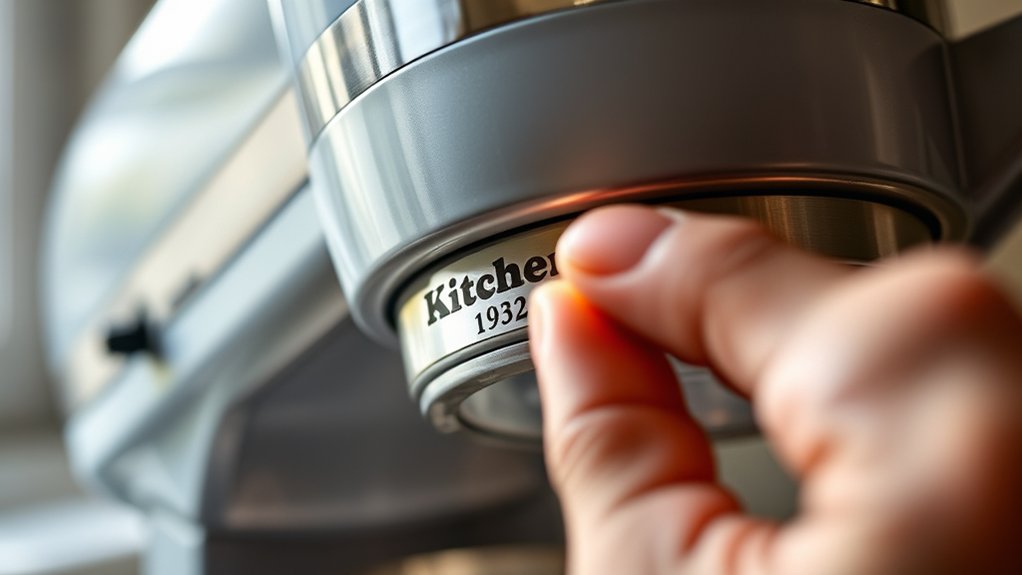
How to Perform a KitchenAid Serial Number Lookup
Trying to identify your KitchenAid appliance can be frustrating, especially when you need its age, warranty details, or replacement parts. You’re not alone—many people struggle to read worn labels or tell similar characters apart during a KitchenAid serial number lookup.
To perform a KitchenAid serial number lookup, find the identification label on your appliance, often inside a door, on a frame, underneath, or behind it. Record the model and serial numbers exactly, including letters, hyphens, and spaces.
Check confusing characters such as zero and O, then enter the information on KitchenAid’s official support or warranty page. Compare the results with your appliance’s type, finish, and age.
The following guidance covers dates, warranties, and unreadable labels.
Key Takeaways
- Locate the KitchenAid identification label, commonly inside, behind, underneath, or along the appliance’s door frame.
- Record the complete model and serial numbers exactly, preserving letters, numbers, hyphens, spaces, and prefixes.
- Photograph the label and carefully distinguish similar characters, such as zero versus O and one versus I.
- Use KitchenAid’s official lookup or support page, entering the serial number precisely as printed.
- Confirm lookup results match the appliance’s type, finish, features, age, and warranty or manufacturing information.
Start a KitchenAid Serial Number Lookup
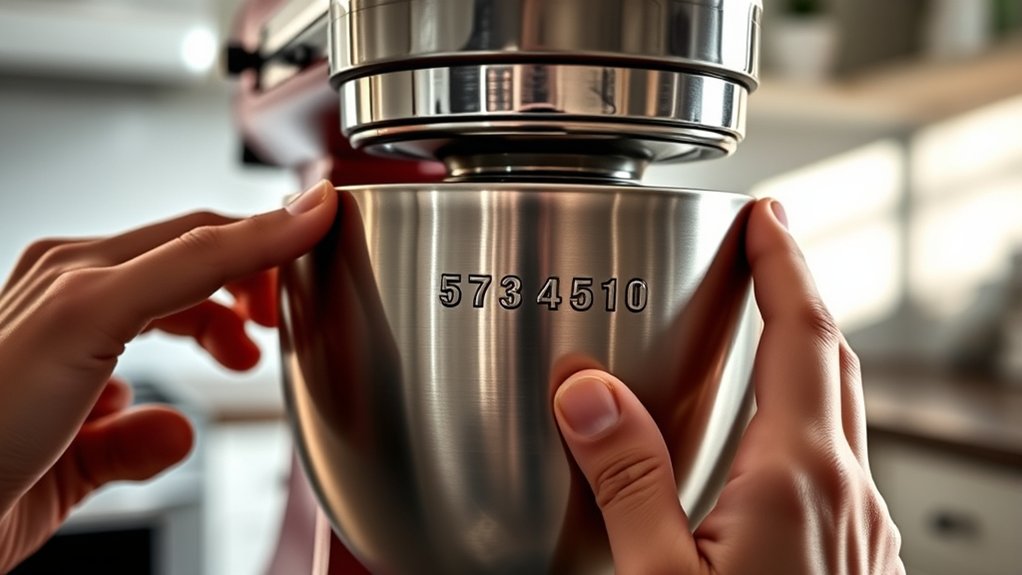
To start a KitchenAid serial number lookup, find the appliance’s model and serial numbers on its identification label, usually located underneath, behind, or inside the unit.
Locate the KitchenAid appliance’s identification label to find its model and serial numbers before beginning a lookup.
Once you have those details, write them down exactly as shown, including letters, numbers, and any hyphens. Don’t substitute a product name for the model number, because similar KitchenAid appliances may use different parts, manuals, or warranty terms.
Next, visit KitchenAid’s official support website and choose the product-registration, warranty, or support option. Enter the requested information carefully, then review your submission for typing errors.
A correct lookup can help you confirm the appliance’s age, locate compatible documentation, check warranty eligibility, and identify suitable replacement components.
Keep your receipt and lookup results with your household records. This simple habit supports appliance maintenance and makes future service calls easier.
Before handling, cleaning, or inspecting the appliance, disconnect its power when appropriate. Following Kitchen appliance safety guidance protects you while you gather information and arrange repairs.
Find the Serial Number on Your Appliance
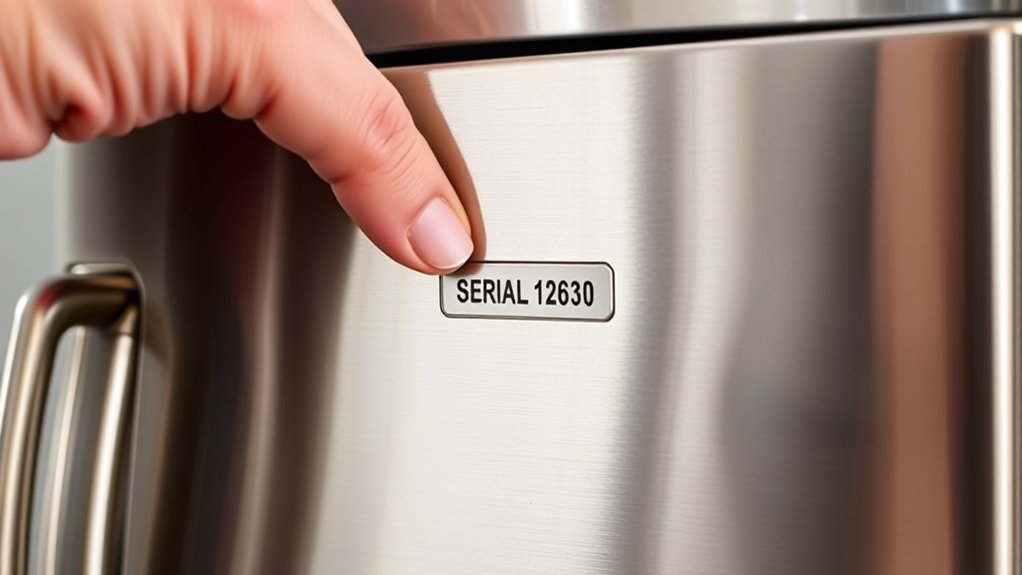
Finding the serial number starts with the appliance’s identification label, which may also list the model number. Check the label’s edges carefully; the serial number often follows “S/N,” “Serial,” or a similar abbreviation. Don’t confuse it with a barcode, product code, or date code.
For refrigerators, look inside the fresh-food compartment, along an interior wall, or behind a crisper drawer. Ranges and wall ovens commonly display the label inside the oven door, on the frame, or beneath the control panel.
Dishwashers may place it along the door’s inner edge. Microwaves often show it inside the door frame or on the rear panel. Mixers typically have a label underneath the base or near the motor housing.
Use a flashlight and wipe away grease so you can read every character. As part of Appliance maintenance, record the number in your files.
These Cooking tips can help: photograph the label and save the image with your purchase records for future reference.
Locate the Model Number Too
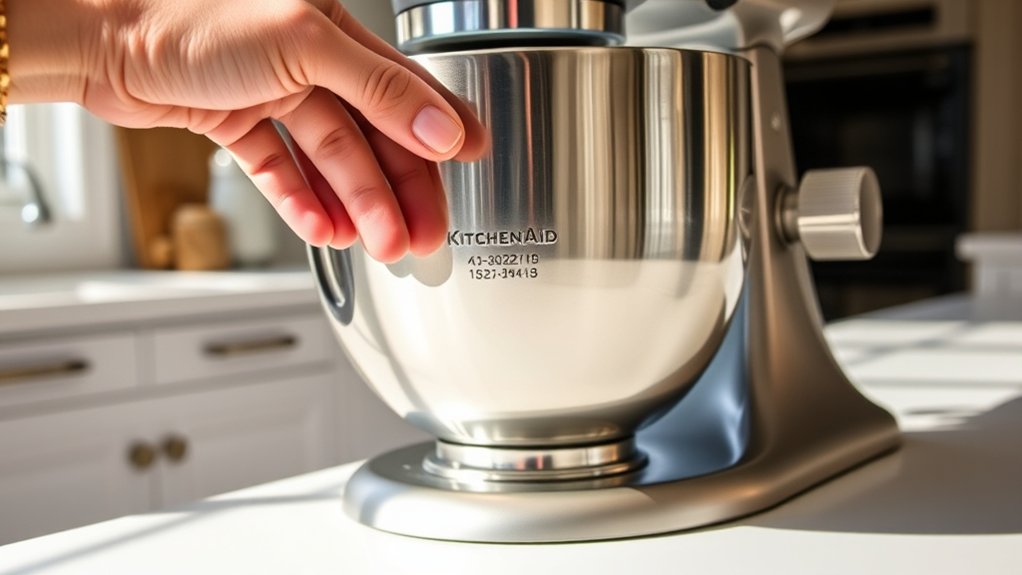
You’ll usually find the model number on the same label as the serial number. If it isn’t there, check your owner’s manual for the model details. Be sure to record the number accurately so you can find the right KitchenAid support and replacement parts.
Check the Appliance Label
Check the appliance label first, since it usually lists both the KitchenAid serial number and model number. Look around the door frame, control panel, back, or underside, depending on your appliance type.
Use a flashlight, and wipe away grease carefully during appliance cleaning so you don’t damage the label.
| Label detail | What to record |
|---|---|
| Serial number | Copy every letter and digit |
| Model number | Include all prefixes and suffixes |
| Location | Note where you found the label |
Photograph the label before removing dust, then compare your notes with the printed characters. Don’t confuse the product name, rating information, or barcode with the serial number.
Record punctuation only if it appears clearly. These details help you research serial number history, confirm the appliance’s identity, and request accurate support or replacement parts.
Keep your photo and written copy together for future reference.
Search the Owner’s Manual
If the appliance label is hard to read, search the owner’s manual for the model number and serial-number guidance. The manual may show where KitchenAid places identification information on your specific appliance, including behind, beneath, or inside a removable component.
Check the cover, specifications page, and diagrams before searching further.
- Find the brand and model section.
- Review diagrams for label locations.
- Check troubleshooting pages for identification tips.
- Look for warranty or registration instructions.
- Use the manual’s appliance-specific terminology.
You can download a replacement manual from KitchenAid’s website if you no longer have the original. Enter the appliance category and visible details to locate the correct document.
This step supports appliance maintenance and helps you understand how your unit fits your kitchen design. Read the manual carefully because similar models may use different label locations or identification formats.
Record Model Details
Once the manual confirms the label location, record the model number along with the serial number. Copy every letter, number, and hyphen exactly as printed. Don’t rely on memory or substitute a similar-looking character, since one mistake can produce incorrect parts or warranty information.
Write the appliance’s color, finish, and revision details beside those numbers. These notes can help you distinguish matching records, especially when several KitchenAid products appear in your account.
Check appliance color codes in the manual or on the manufacturer’s support page if the label uses an unfamiliar abbreviation.
Take a clear photo of the entire label, then save it with your written notes. Include the purchase date and retailer when available.
These records support KitchenAid repair tips, service requests, registration, and future serial-number lookups. Keep a backup in cloud storage or email for convenient access.
Verify the Numbers Before Searching
Before searching, make sure your KitchenAid serial number follows the expected format. Check each digit carefully, and then compare the model details to confirm that you’ve recorded the correct appliance information.
Confirm Serial Number Format
KitchenAid serial numbers typically combine letters and numbers, and the exact format varies by appliance and model. Before you search, confirm the serial number format shown on your appliance or its documentation.
This step supports accurate appliance identification and helps you choose the correct lookup approach.
- Note whether the code uses letters, numbers, or both.
- Record the total number of characters.
- Check whether spaces or hyphens appear in the printed code.
- Compare the code with your owner’s manual or model paperwork.
- Make sure you’re reading the serial label, not a nearby model number.
Use the manufacturer’s format guidance when available. Older and newer products may use different patterns.
If the code doesn’t match the expected structure, pause and locate the label again before entering anything online. Keeping the original sequence intact will make your search easier.
Check Digits Carefully
After confirming the format, check each digit and letter closely before searching. Good serial number accuracy depends on reading the label carefully, especially when characters look alike.
Don’t confuse zero with the letter O, one with I, or five with S. Use bright lighting and clean the label gently if dust or wear obscures any marks.
Compare the number with the appliance’s label more than once, reading from left to right without skipping hyphens or spaces. If the print appears unclear, take a close-up photo and enlarge it rather than guessing.
Record the complete sequence exactly as shown, including every letter and number. Careful digit verification helps you avoid an invalid search and prevents confusion caused by a single mistyped character.
Recheck your entry immediately before submitting it.
Match Model Details
Once you’ve recorded the serial number, match the appliance’s model details with the label before searching. Confirm the brand, product type, color, capacity, and installation style.
These details help you avoid entering information for a similar-looking model, especially when your Kitchen design includes multiple KitchenAid appliances.
- Compare the model number character by character.
- Check whether the appliance is built-in, freestanding, or portable.
- Verify the finish, such as stainless steel or black.
- Note the capacity and key features.
- Photograph the label for future reference.
If the details don’t match, pause and reread every digit. A wrong model number can produce incorrect manuals, parts, warranty information, or service guidance.
Accurate matching also supports Appliance maintenance because you’ll find recommendations designed for your exact unit.
Keep the confirmed details with your household records so future searches take less time. Don’t rely on appearance alone; nearby models may share nearly identical designs.
Understand What the Serial Number Means
A KitchenAid serial number identifies when and where your appliance was made, helping you confirm its age and find compatible parts or service information. Although the format varies by product and production period, the characters usually contain coded details rather than a simple sequence.
Look for a date code that may indicate the year and production week. Some models use letters, while others combine letters and numbers, so don’t assume every appliance follows the same pattern.
The remaining characters can distinguish your unit from others made during that period. Your serial number can help you estimate an appliance’s age, verify whether replacement components match its production era, and provide useful context when you contact a repair professional.
It may also reveal the manufacturing location or facility associated with the appliance, depending on the model’s coding system.
Record the complete number exactly as printed, including letters and leading zeros. A clear photo of the label can prevent mistakes when you compare records or discuss service needs.
Use KitchenAid’s Official Lookup Tools
With the complete serial number recorded, use KitchenAid’s official product lookup and support tools to verify your appliance details. Enter the number exactly as shown, including letters, digits, and any hyphens.
KitchenAid’s website may request your model number or product category, so keep those details nearby.
Use the results to:
- Confirm the appliance’s official model information.
- Open the correct owner’s manual and documentation.
- Review compatible KitchenAid appliance accessories.
- Check warranty and registration options.
- Find authorized KitchenAid repair services.
If the lookup doesn’t recognize your serial number, recheck each character, especially zeros, ones, and letters.
Avoid relying on third-party databases, which may show incomplete or inaccurate information. You can also contact KitchenAid support through the official website for help verifying the entry.
Save the confirmed product page, manual, and support details for future reference. Keep your receipt available if KitchenAid requests proof of purchase during registration or service assistance.
Use only official contact channels to protect your information and receive accurate guidance.
Find the Appliance’s Manufacturing Date
KitchenAid’s official lookup results may reveal the appliance’s manufacturing date or provide the date code needed to determine it. Record that code exactly as shown, including letters and numbers, then compare it with KitchenAid’s serial-number format for the model’s production period.
KitchenAid’s official lookup can reveal the manufacturing date or provide an exact date code for accurate interpretation.
Some codes use a letter to represent the year and another character to identify the manufacturing week, while older formats can vary.
Check the appliance’s model information before interpreting the code, because KitchenAid has changed its numbering systems over time.
Vintage models may require a historical reference or assistance from KitchenAid support when the code doesn’t match current examples. Don’t rely on serial number myths, such as assuming the first two digits always indicate the year. Formats differ by product type and era.
If the date code remains unclear, photograph the rating label and transcribe every character.
Comparing those details with reliable KitchenAid documentation can help you establish an accurate manufacturing date without guessing.
Check Your KitchenAid Warranty
Check your owner’s manual or visit KitchenAid’s website to find warranty information for your appliance. Then, use the serial number to see whether your coverage is still active. This will help you understand which repairs or replacements are included under your warranty.
Locate Warranty Information
To check your KitchenAid warranty, locate the appliance’s model and serial numbers, then enter them on KitchenAid’s official warranty or product-registration page. You’ll usually find both details on a label inside, behind, or beneath the appliance.
Keep your purchase receipt nearby, because it may help document the purchase date and original retailer.
Gather these details before you begin:
- Appliance model number
- Appliance serial number
- Purchase date
- Retailer or seller name
- Receipt or order confirmation
KitchenAid’s warranty information can guide your Kitchen appliance maintenance plans and help you save relevant appliance repair tips for future reference.
Record the warranty terms with your appliance manual, and store a screenshot or printed copy for convenient access.
Use only KitchenAid’s official website or authorized support channels to find accurate warranty documents and contact information. Avoid relying on third-party lookup pages, which may show outdated details or incorrect instructions.
Verify Coverage Status
Once you’ve gathered your model number, serial number, and purchase details, enter them on KitchenAid’s official warranty page or contact authorized support to verify coverage. Confirm that the appliance’s model matches your receipt and that the purchase date falls within the warranty period.
Check whether coverage includes parts, labor, or both, and note any exclusions, such as commercial use, cosmetic damage, or improper installation. If you bought the appliance from an authorized retailer, keep your receipt available for validation.
KitchenAid support can explain claim requirements and direct you to an approved service center. Don’t attempt repairs before confirming coverage, since unauthorized work may affect eligibility.
Whether your mixer complements your Kitchen design or supports advanced Cooking techniques, documenting coverage helps you protect your investment and plan repairs confidently.
Fix Missing or Unreadable Numbers
If your KitchenAid serial number is missing or unreadable, you can often find it on your appliance’s purchase receipt, warranty documents, or owner’s manual. Check these sources before contacting support, and photograph the label if any characters remain visible.
- Look inside the door, drawer, or lid.
- Check the back, underside, or side panel.
- Clean the label gently with a damp cloth.
- Use a flashlight to reveal faded printing.
- Ask KitchenAid support to identify the model.
If the label has peeled away, don’t guess the number. Provide support with your model number, appliance type, purchase date, retailer, and clear photos.
They may confirm available records or explain whether replacement documentation exists. Avoid altering, removing, or recreating a label, since inaccurate information can raise concerns about serial number fraud.
If you’re replacing the appliance, record every visible detail before sending it for appliance recycling. Keep your receipt and support correspondence with your household records.
For older units, a dealer or authorized technician may help identify the correct label location and recover useful manufacturing information.
Avoid Common Lookup Mistakes
Avoiding common lookup mistakes starts with entering the serial number exactly as it appears on the label. Don’t replace zeros with the letter O, confuse ones with capital I’s, or add spaces, dashes, or extra characters unless the lookup tool shows them. Check every digit twice before submitting the form.
Confirm that you’re using the serial number, not the model number, product code, or stock number. KitchenAid labels may place these identifiers close together, so compare each description carefully.
If the result doesn’t match your appliance’s type, color, or approximate age, review the label and try again.
Record the correct number in your appliance maintenance files, along with the model and purchase date. This information can speed up warranty claims, parts orders, and service appointments.
If you’re planning a kitchen design update, accurate details also help you choose compatible replacements. Avoid relying on search results from unofficial websites. Use KitchenAid’s lookup page or an authorized service provider for reliable information.
Frequently Asked Questions
Can I Register My Kitchenaid Appliance Online After Finding Its Serial Number?
Yes, you can register your KitchenAid appliance online after finding its serial number. Visit KitchenAid’s official product registration page, enter your contact details, model number, purchase information, and serial number, then submit the form.
Check the Serial number location if you need help finding it on your appliance or documentation. Registration may support warranty service, while Appliance age verification can help confirm eligibility. Keep your receipt for future claims.
How Do I Request Replacement Parts for My Kitchenaid Appliance?
When your KitchenAid appliance needs help, you can request replacement parts through KitchenAid’s official Parts website or authorized service providers. Enter your model number to find compatible components, then check part availability before ordering.
Keep your serial number nearby, since it can confirm the appliance’s age and warranty coverage. If your appliance remains under warranty, contact KitchenAid Support first. Covered repairs may include parts and labor, while shipping or installation could cost extra.
Does Kitchenaid Offer Recycling Options for Old or Broken Appliances?
KitchenAid may offer recycling options through regional programs, retailer take-back services, or authorized service partners, but availability varies by appliance type and location. You can visit KitchenAid’s official support site, enter your ZIP code, and contact customer service to confirm current options.
Ask whether your old unit qualifies for appliance recycling, pickup, or drop-off. If no program exists nearby, arrange eco-friendly disposal through your municipality or a certified e-waste recycler.
Can I Transfer a Kitchenaid Warranty to Another Owner?
KitchenAid warranties typically don’t transfer automatically; you’ll need to confirm the terms for your specific appliance and region. More than 80% of warranty claims require proof of purchase, making documentation essential.
Contact KitchenAid support before selling or buying, and ask whether a warranty transfer is permitted. Keep the original receipt, model and serial numbers, and service records ready for ownership verification.
If transfer isn’t allowed, the new owner may receive no coverage.
How Do I Contact Kitchenaid Customer Support About My Appliance?
Contact KitchenAid customer support through the brand’s official website, where you can select Support, Chat, or Contact Us. You can also call the customer-service number listed for your country and have your model and serial numbers ready.
Explain your issue clearly and ask about warranty coverage, KitchenAid repair options, or appliance troubleshooting. If you’re contacting support about a transferred appliance, provide purchase details and the previous owner’s information when requested.
Conclusion
With a KitchenAid serial number lookup, you can uncover your appliance’s age, verify warranty details, and find the right support faster. Check the model number, confirm every character, and use KitchenAid’s official resources for the most reliable results.
If the label’s missing, don’t panic. Your “mystery” appliance isn’t actually plotting against you. A careful search or support call can solve it. In minutes, you’ll know more about your machine than its recipe book ever reveals.